NFC card and offline
The NFC card in Forever Card Club opens your Forever Card app with one tap. The person can see recommendations, the AI advisor and contact details, then proceed to the official store or get in touch by message or phone call
NFC card and offline product recommendations. How it works and how to use it
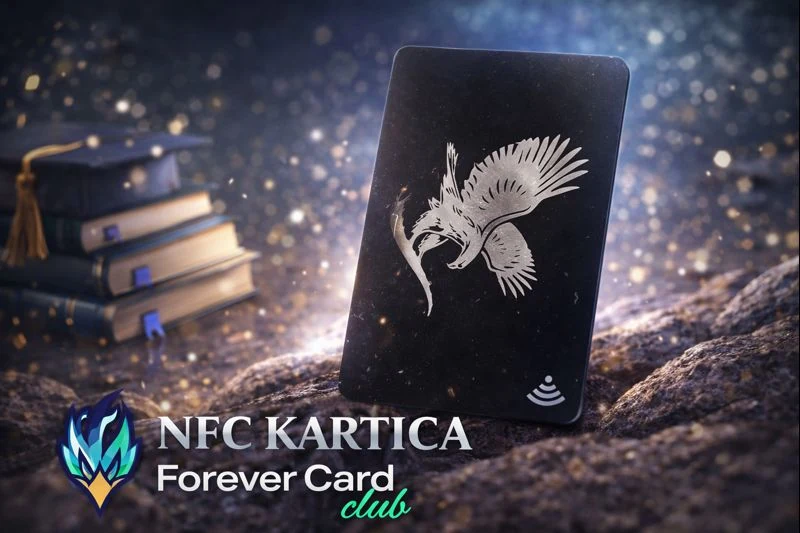
An NFC card is a physical card. When you hold it against someone else's phone, your Forever Card app opens automatically. It is the easiest way for someone to see your recommendations, AI advisor and contact details right away.
Someone taps their phone against the card and everything opens.
You do not have to send links or explain where to click.
The app has products, an AI advisor, a discount and contact details.
What is an NFC card
An NFC card works in a similar way to contactless payment. Here, though, its purpose is different. The card is not for making payments. It opens your Forever Card app.
When someone holds their phone against the card, the phone opens your page in the app. That page contains your information, your contact details and everything you have set up.
What someone sees when they tap their phone
The person sees your profile, your basic information and your contact details.
People can write about what's bothering them or what they want and get a recommendation.
If you want to show what this looks like in practice, the simplest way is to open this link: https://forevercard.club/ddglabhlcn
Why this is useful in a real conversation
In real life, people often ask questions in passing. For example, they ask about energy, digestion, skin or weight management. The most common mistake is sending them too much information and too many links. Most of it goes unread.
The NFC card solves that problem. You hand over the card, the person taps it with their phone and sees everything for themselves. If they want, they can go straight to the AI advisor and get a recommendation.
If you want a detailed explanation of the AI advisor, read this article: /blog/ai-savjetnik
Exactly how to use the card. Steps
- You talk with someone and listen to what interests them.
- You say: “I have a card that opens my Forever app for you.”
- The person holds their phone against the card.
- Your Forever Card app opens.
- The person can use the AI advisor or click on the contact option if they want to talk to you.
“Just tap your phone against the card. My Forever app will open. Everything is explained there, and there’s an AI advisor. If you like, get in touch with me.”
How someone gets in touch and how to see who referred them
When someone arrives through your card, the system displays your details. This matters because the person knows who they are contacting. The details appear automatically.
- Stjepan Beloša is the name of the person who made the referral
- +385911561596 is that person's contact number
- https://forevercard.club/ddglabhlcn is the main Forever Card app with that information
This is useful for the team too, because everyone uses the same system, while each person automatically sees their own details.
Frequently asked questions
Does the person need to install an app?
No. Just tap your phone against the card and the page opens.
What if a phone does not have NFC?
You can then send a regular link to your Forever Card app, for example https://forevercard.club/ddglabhlcn.
Does this replace working online?
No. This is a way to bring an offline conversation straight into the online system.
Where are products purchased?
Purchases are made in the official Forever online store in the buyer's country. The system here guides the person through the information and recommendation.
The NFC card in Forever Card Club. A simple way to make recommendations offline
The NFC card in Forever Card Club helps partners quickly show their system during a conversation in person. The person taps the card with their phone, and the Forever Card app opens with recommendations, an AI advisor and contact information.
The system is designed so that people can read the information and get a recommendation on their own, with the partner available to contact when needed. Products are purchased through the official Forever online store in the customer's country, while Forever Card Club serves as an educational and organisational tool for an independent Forever business partner.